Direct Uploads
Files upload directly from your device to Google Photos over an encrypted HTTPS connection, with no middleman servers or analytics.
Direct TLS 1.3
Zero Telemetry
No Relay Servers
Theme palette (tonal spot) Iris
Lumen uploads your photos and videos straight from your phone or computer to Google Photos. No middleman servers, no tracking, and no compression.
Unofficial client. Not affiliated with or supported by Google LLC. Google Photos is a trademark of Google LLC.
Lumen connects straight to Google from your device. Because it is an unofficial client, keep these two practical rules in mind:
Set up a separate Google account just for your photo backups. If Google ever flags or locks the account, your actual Gmail, Drive, and personal data remain completely untouched.
Lumen only uploads files—it never touches or deletes what is on your phone or drive. Treat Google Photos as an extra backup mirror, not your only copy.
Lumen is an independent open-source project and is not affiliated with Google LLC. It sends uploads directly using standard mobile app protocols.
Using third-party backup tools can violate Google's Terms of Service. Google may rate-limit uploads or lock accounts at their discretion.
If an account gets suspended, you lose access to Gmail, Google Drive, and other linked services. Using a secondary account keeps your main account safe.
Signing in repeatedly within a short window can trigger automated Google security blocks. If you get signed out, check your connection and wait a little while before trying again.
See screenshots and setup instructions for Android, Windows, macOS, Linux, and the command-line tool.
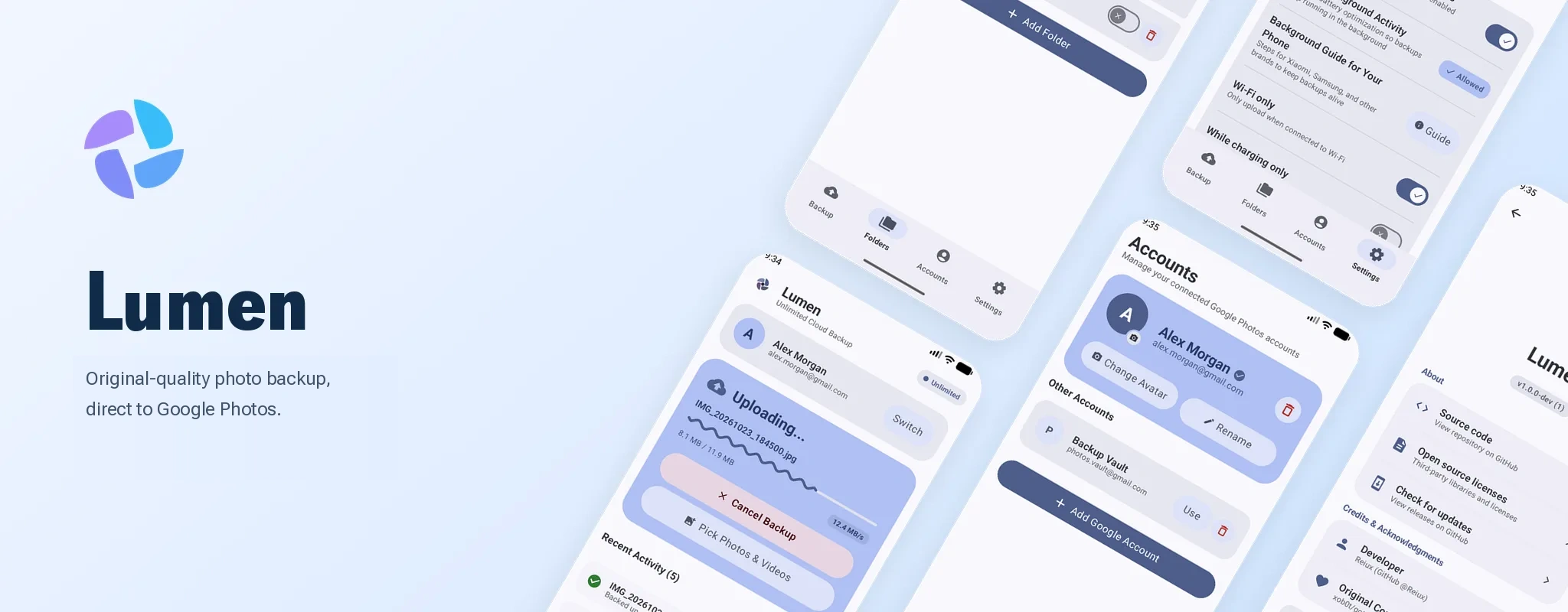
Lumen for Android showing Backup status, watched directories, Google accounts, and settings.
Runs on Android 8.0 and newer. No root or device modifications needed.
Files upload directly from your device to Google Photos over an encrypted HTTPS connection, with no middleman servers or analytics.
Upload photos and videos in full sensor resolution without downscaling, compression, or lost metadata.
Switch between Google accounts easily. Login tokens are stored in your operating system's credential manager.
Automate backups from scripts or cron jobs with lumen-cli, and cap upload speeds from 0.5 to 50 MB/s.
Lumen remembers what you already uploaded so repeat runs skip existing files instantly.
Watch local folders on desktop, or back up automatically on Android when connected to Wi-Fi and power.
Automatically pairs HEIC and JPEG photos with their companion MOV video clips.
Download verified release packages directly from GitHub. Check package signatures or run automated local verification below.
Requires Android 8.0 or newer. No root or system patches required.
697c9d2360ae5714a88695e4c9e8bc1c370b1c5bd1a0a0c57b637e16c271fbf3
Desktop client with background folder watching, multi-account switching, and system tray support.
Every desktop binary and CLI release includes SHA-256 checksums published in the GitHub release notes. Run sha256sum <file> (Linux/macOS) or Get-FileHash <file> (Windows PowerShell) to verify your download.
Automatic sign-in opens a temporary profile in your default Chromium browser (Chrome, Brave, Edge, or Vivaldi) to acquire an OAuth session token. If you use Firefox or Safari, you can log in through the browser and paste the session cookie into Settings.
No. You sign in directly with Google, which issues an OAuth token. On desktop, that token is stored in your operating system's credential manager (Windows Credential Manager, macOS Keychain, or Linux Secret Service). Uploads go directly between your device and Google Photos.
Lumen is an unofficial client that communicates with mobile upload endpoints. Because this may break Google's Terms of Service, Google can limit or ban the account at any time. Using a dedicated secondary account keeps your main email, Google Drive, and personal services safe.
Lumen supports common photo formats including JPEG, PNG, WEBP, HEIC, GIF, and RAW (DNG), as well as video formats including MP4, MOV, WEBM, MKV, 3GP, and AVI. On desktop, you can also pair Apple Live Photos (.heic or .jpg with matching .mov clips).
Neither the Android app nor the desktop app includes analytics, crash reporting, or telemetry. Aside from uploading your media directly to Google, the apps only contact GitHub to check for new releases when automatic update checks are enabled, which you can turn off in Settings.
Run apksigner verify --print-certs lumen-release.apk (or check the certificate in an APK verifier app on Android) and confirm that the SHA-256 digest matches 697c9d2360ae5714a88695e4c9e8bc1c370b1c5bd1a0a0c57b637e16c271fbf3.
Google Play Store policies do not permit third-party clients that communicate with private Google Photos upload endpoints. Google Play policies do not permit third-party clients that upload to private Google Photos endpoints. Hosting the APK on GitHub lets anyone inspect the source code, download releases directly, and verify package signatures.